🔥Day15#90daysDevops Challenge
Day 15 Task: Python Libraries for DevOps
Tasks
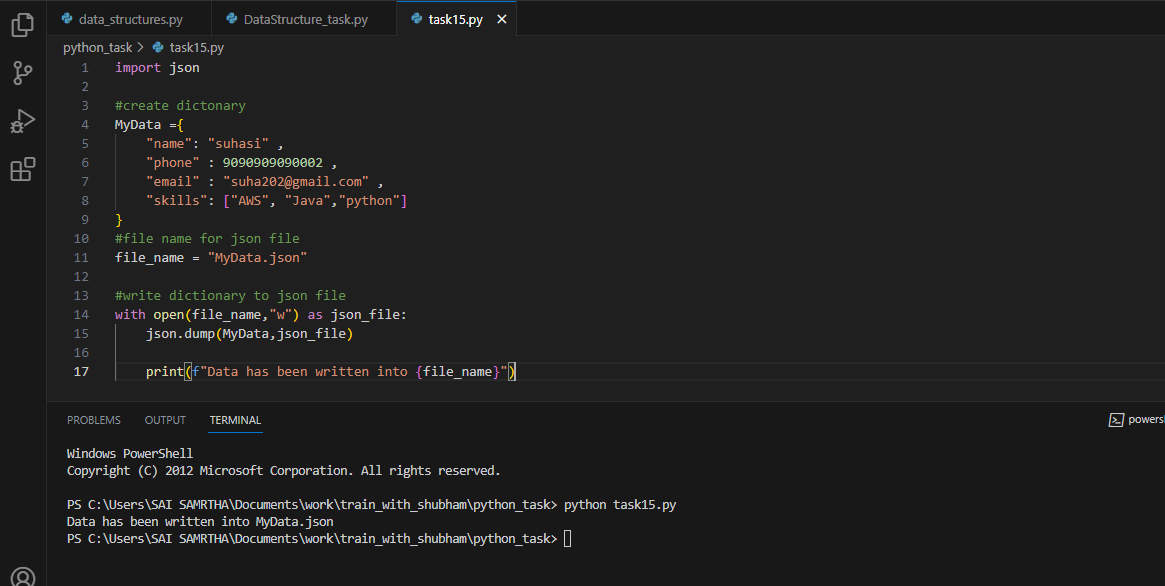
💎 Create a Dictionary in Python and write it to a JSON File.
🔷 create a file task15.py with the extension py as it is a Python file.
import JSON as we have to write in JSON file, then create the directory {}
Give the json_file name like "MyData.json"
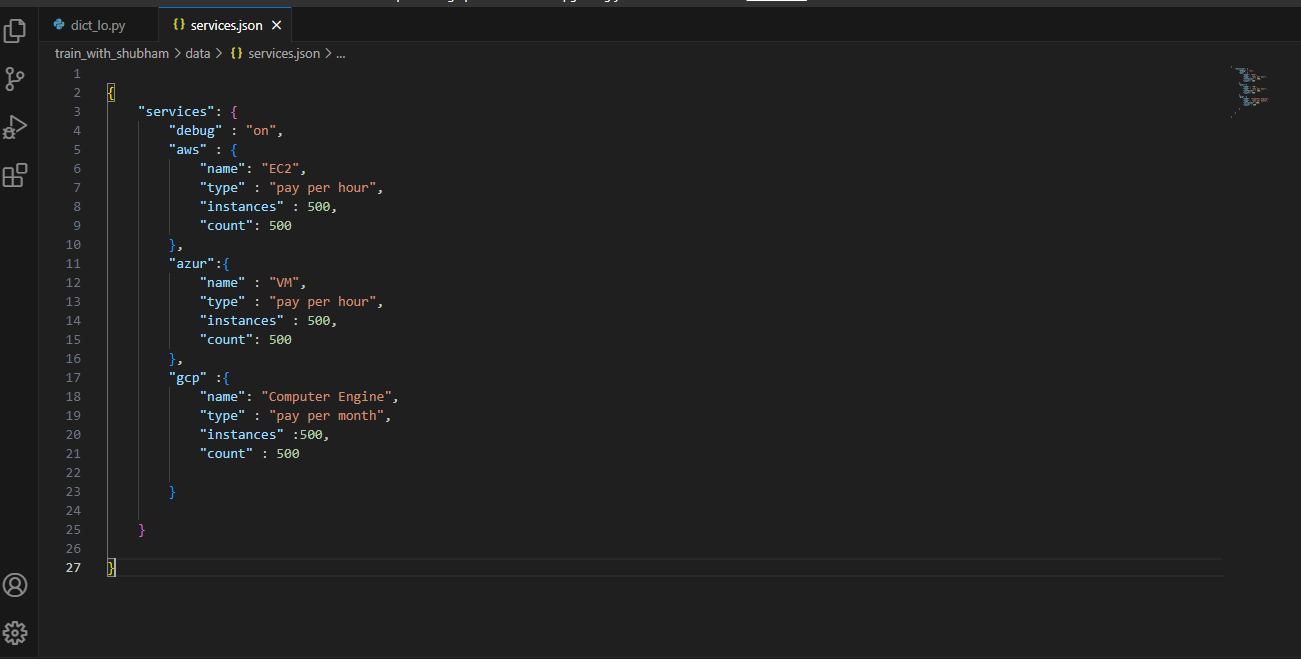
💎 Read a JSON file services.json kept in this folder and print the service names of every cloud service provider.
output

AWS: ec2
azure: VM
gcp: compute engine
🔷 First, I created two files one Python file dict_lo.py and another JSON file services.json
🔷 In this task, we have to write a JSON file directory in services.json convert it into a Python file and print the name of only the cloud service provider
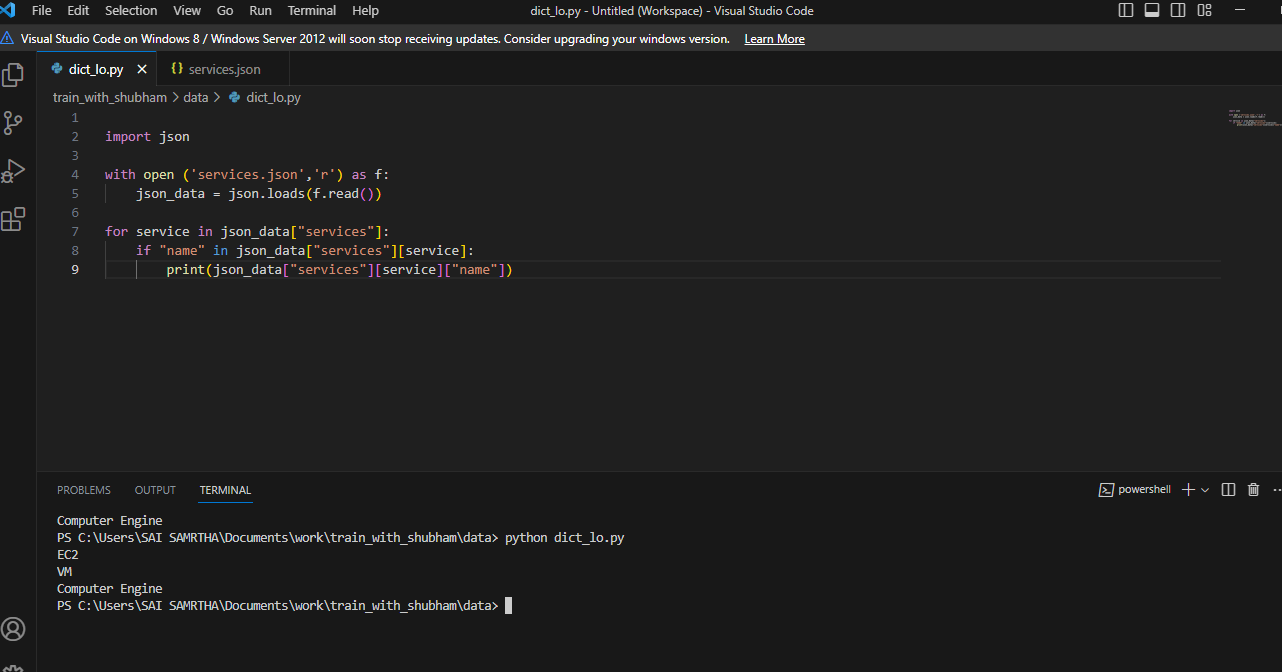
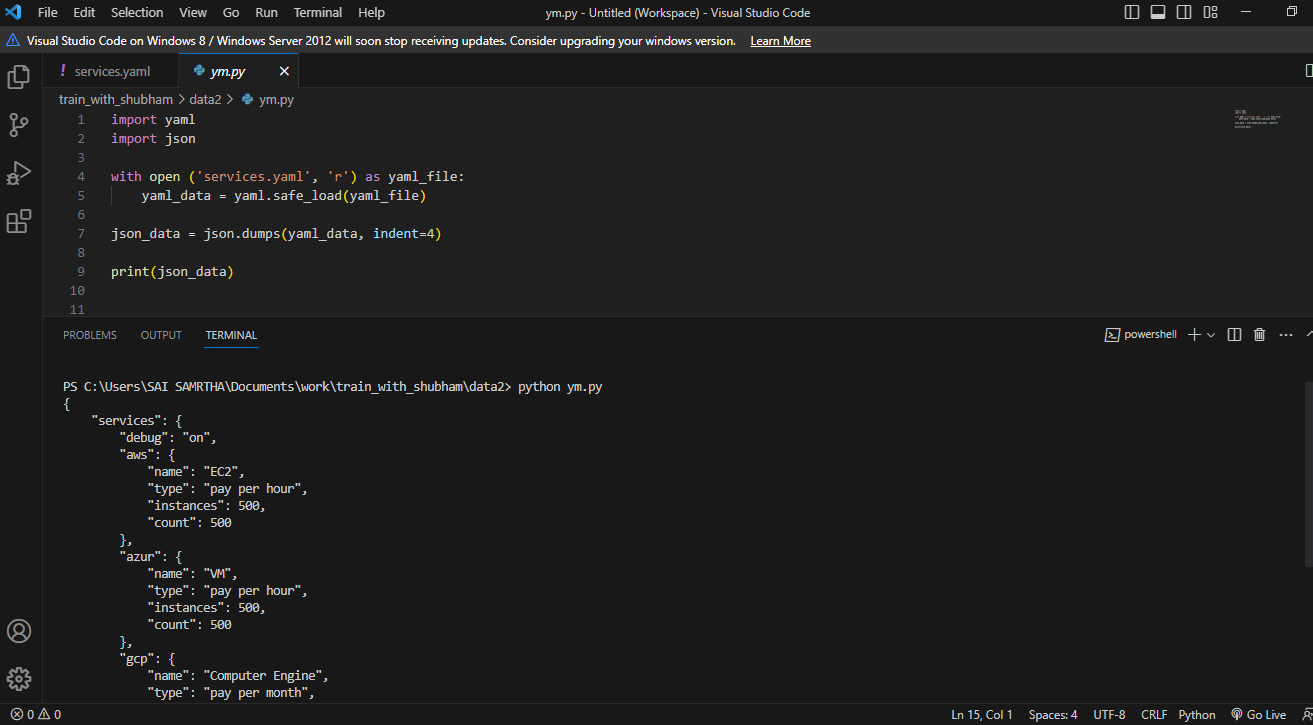
💎 Read the YAML file using Python, file services. yaml and read the contents to convert yaml to JSON
🔷 For the YAML file, you have to install the required libraries "pyyml"
pip install pyyml

🔷 Then created a file "services.json" where I kept yaml dictionary
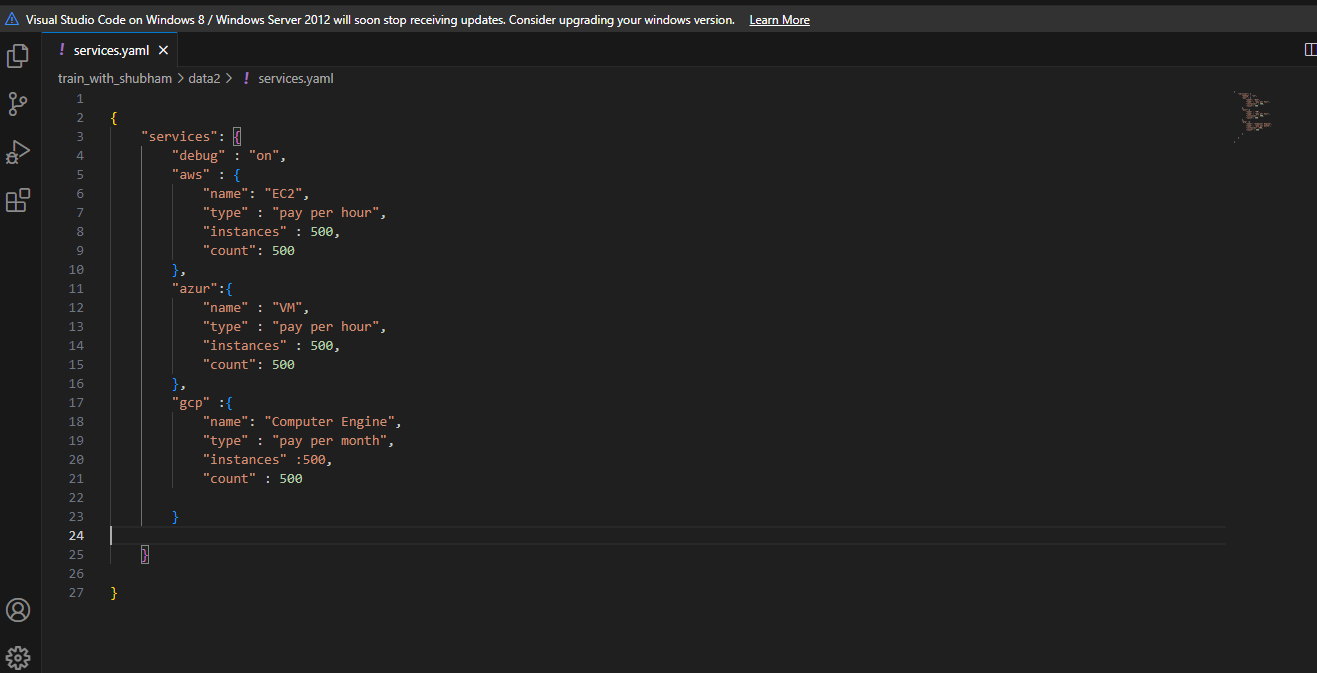
🔷 I want to convert this service .yam. file into a Python file