🔥Day8#90daysDevops Challenge
Basic Git & GitHub for DevOps Engineers.
💎 Task
💎 Create a new repository on GitHub and clone it to your local machine.
💎 Make some changes to a file in the repository and commit them to the repository using Git.
💎 Push the changes back to the repository on GitHub.
💎 Create a new repository on GitHub and clone it to your local machine.
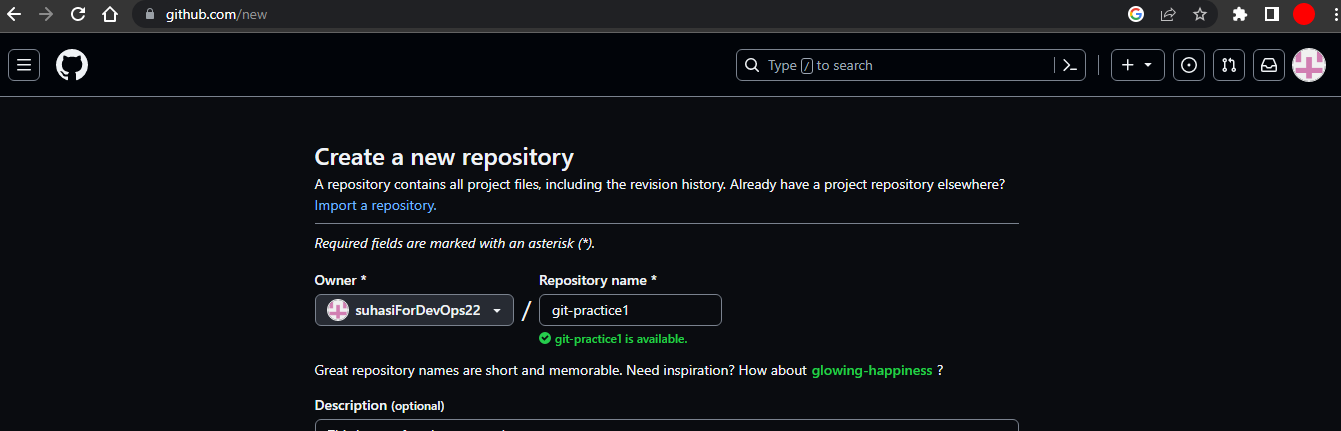
🔸 Create a new repository on GitHub
First, go to https://github.com/ and sign up GitHub account using the details.
Click on the + icon which is in up right corner and create a new repository on GitHub
Give the name of the Repository as I created "git-practice1"
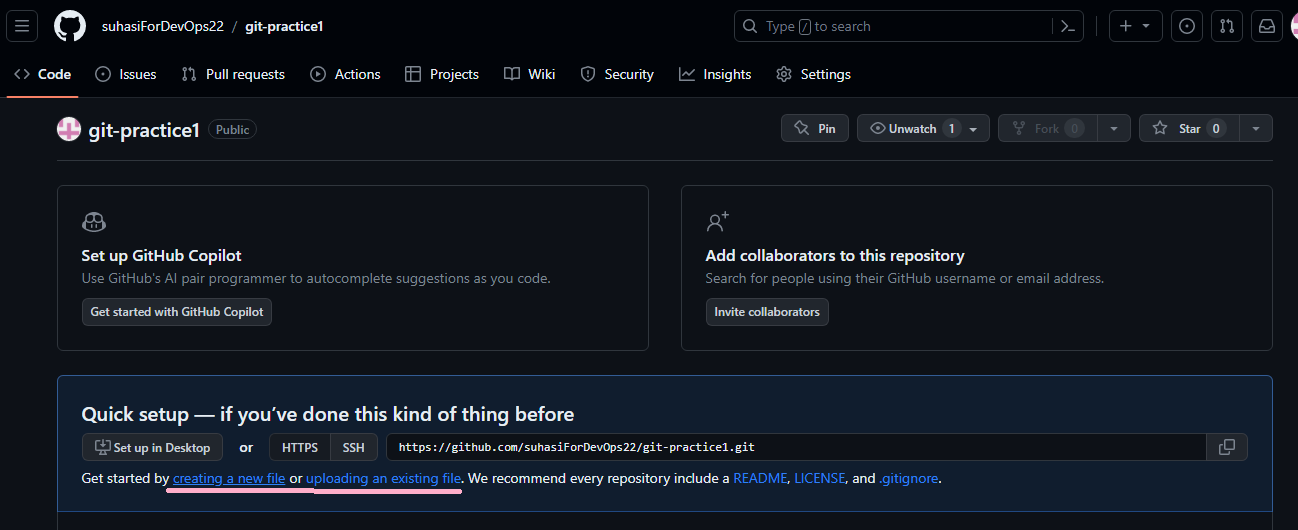
🔸 To clone this repository to your local machine use the command.
First I created a directory on my local machine named "git-task" and cloned the GitHub repository to that directory.

Copy this URL by clicking on the code icon you will get the link.
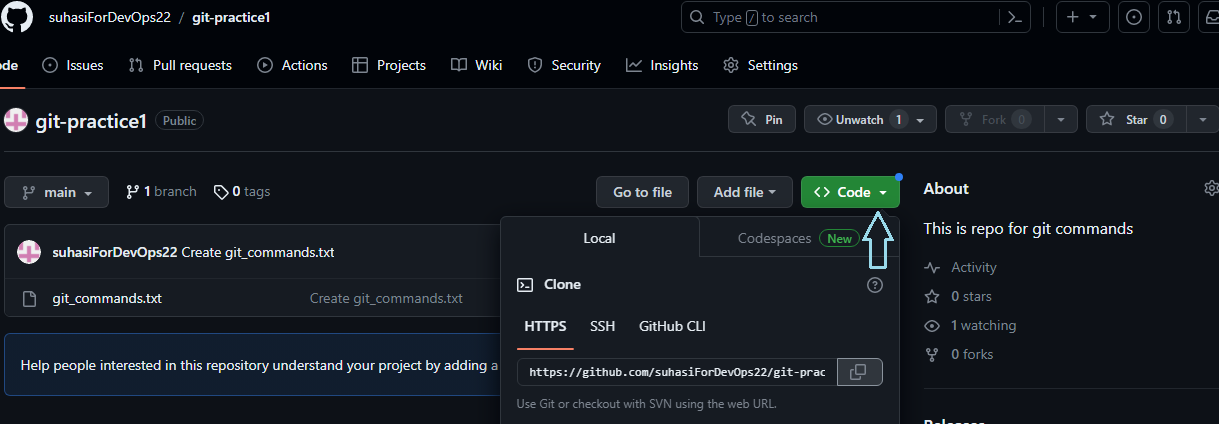
- Copy that link and paste it into the command for cloning that repository to your local machine.
git clone <url>
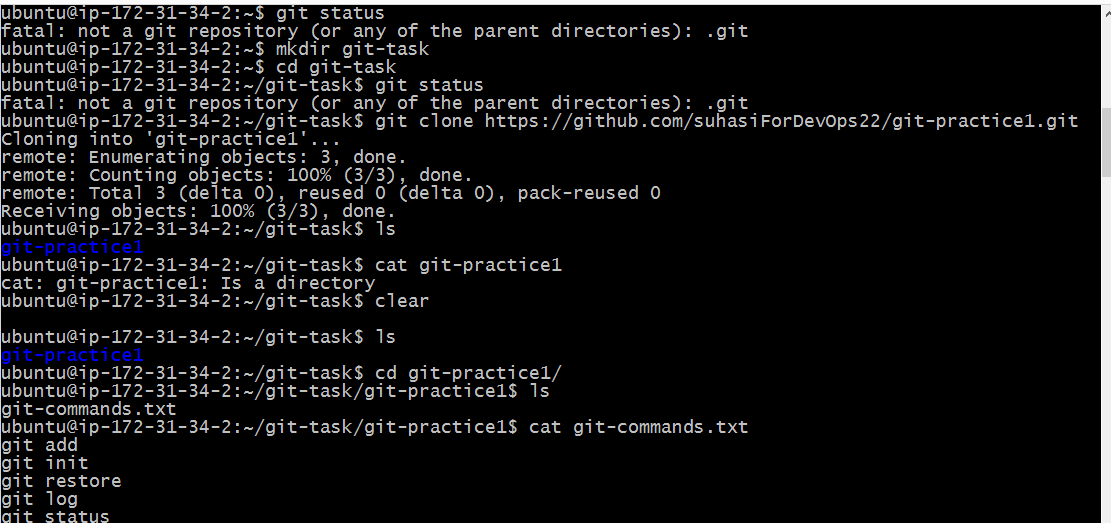
💎 Make some changes to a file in the repository and commit them to the repository using Git.
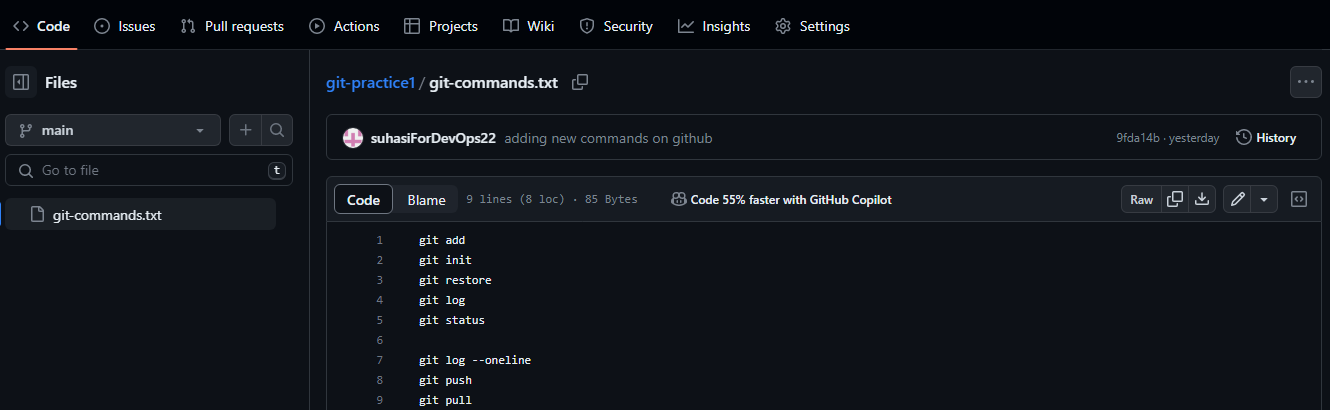
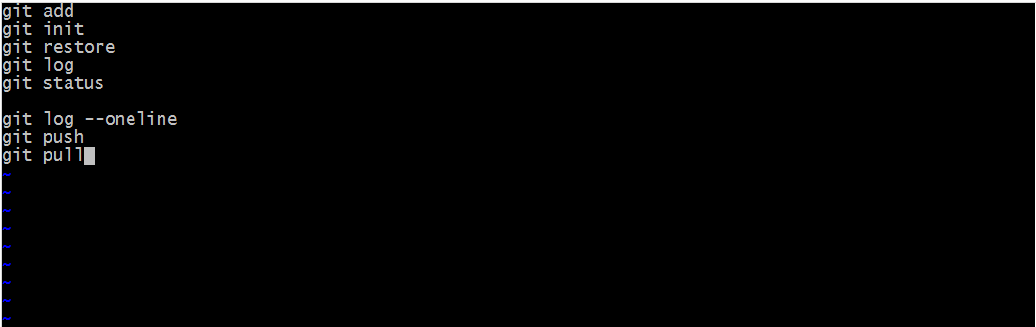
🔸 In the present file, only the following commands are present.
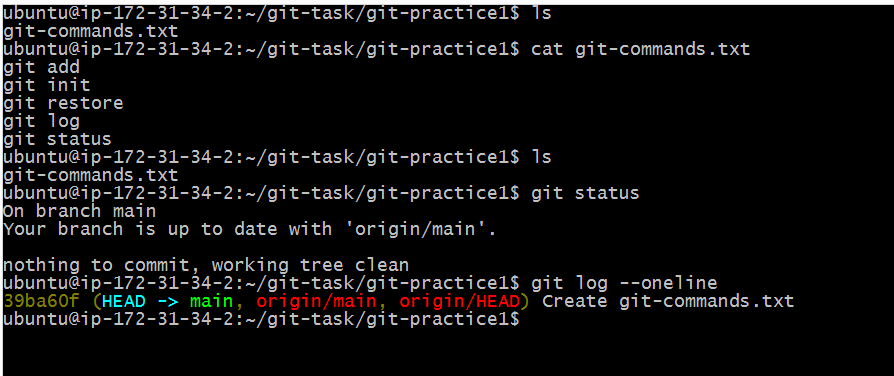
🔸 Added a few more commands to that file.
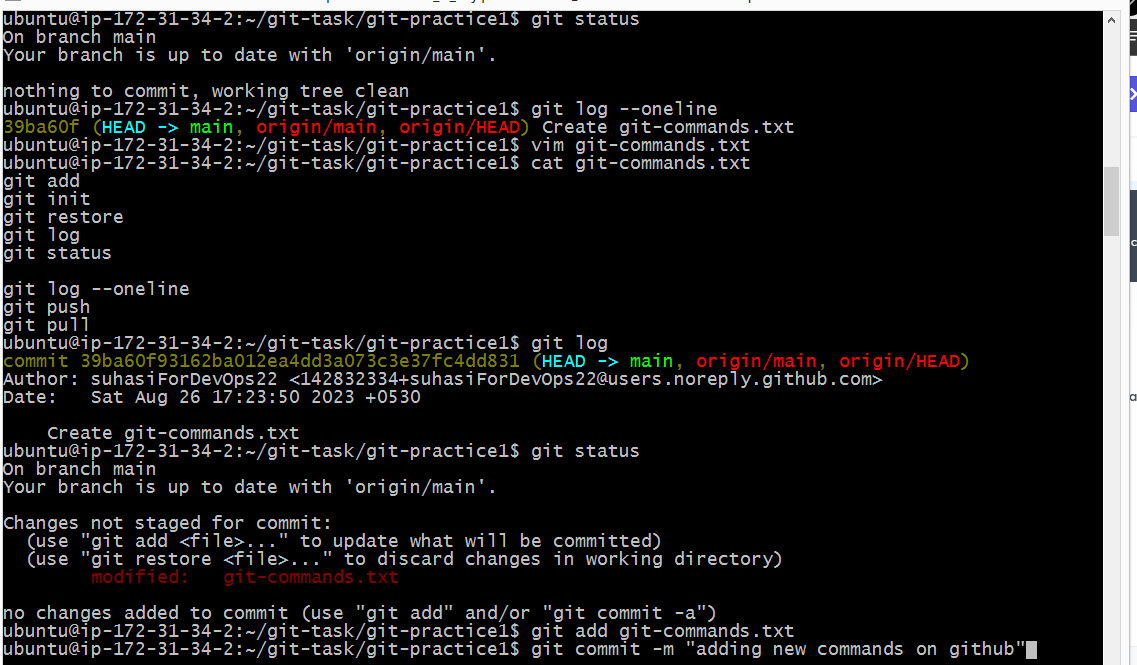
🔸 For committing them to the repository use the git add command to add the changes and then commit them
#for adding the changes
git add

#for commiting the changes
git commit -m "commit message"
💎 Push the changes back to the repository on GitHub.
🔸 Before pushing the changes to GitHub add and commit the changes locally using this command
# To add the changes
git add .


# To commit the changes
git commit -m "commit message"
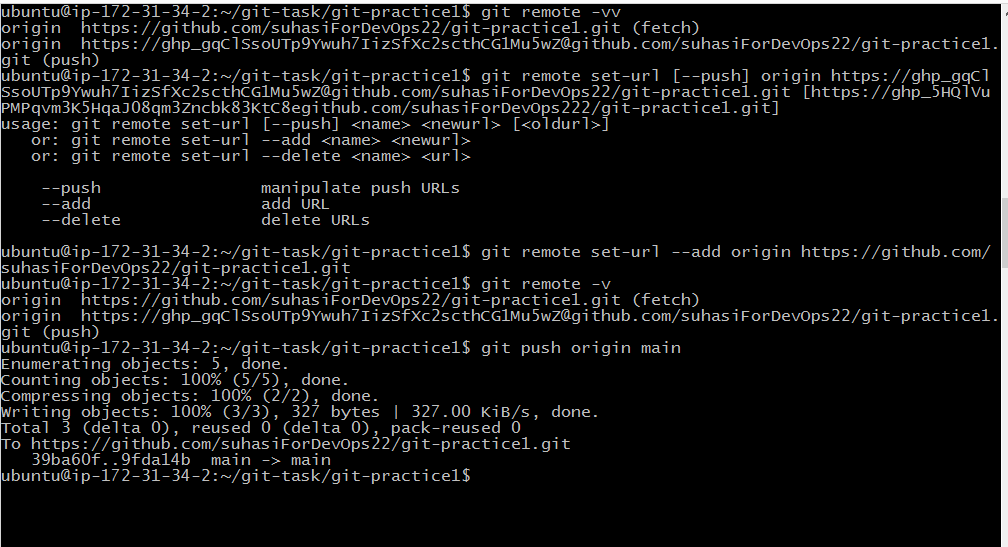
🔸 After that, the repository is ready to push on GitHub using the following commands
#To change remote url
git remote -v

# To push local repository to public
git remote set-url [--push] <name> <newurl> [<oldurl>]

# To add new url
git remote set-url --add <name> <newurl>

# To delete old url
git remote set-url --delete <name> <newurl>